
DeepSeek Harness · 第三方插件Third-party plugins for DeepSeek Harness
让 DeepSeek Harness 更顺手的三个插件 Three small plugins that make DeepSeek Harness nicer to use
会话标题、会话管理、多行输入 —— 都是独立开源的小插件:挂原生座位、零运行时依赖、装完刷新就能用。 Session titles, session management and a multiline composer — independent, open source, zero runtime dependencies, and ready after a refresh.
3 个插件plugins
0 运行时依赖runtime deps
MIT 开源许可licensed
共同点Shared principles
三个小插件,同一套克制Three plugins, one restrained approach
它们不改造 DSH,也不往你的对话里塞东西 —— 只在你需要的那一下出现。They do not reshape DSH or inject anything into your conversation — they only appear when you ask for them.
原生座位,不改宿主Native seats, untouched host
只挂官方顶栏按钮、会话菜单、设置页等座位,读写都走 ctx 服务。They register only into official seats — header actions, session menus, settings pages — and do all reads and writes through ctx services.
平时不花 TokenNo idle token cost
不注册模型工具、不注入系统提示词;只有你点「生成标题」时才调用一次模型。No model tools and no system-prompt injection; the model is called once, when you press “Generate title”.
写操作必须确认Every write is confirmed
改标题、归档、删除都要在界面里点确认;取消、Esc、点遮罩都不会写任何数据。Renaming, archiving and deleting all require a click; cancel, Esc and the backdrop write nothing.
零运行时依赖Zero runtime dependencies
纯 ESM,没有第三方包;卸载后不残留 DOM、样式或监听。Plain ESM with no third-party packages; uninstalling leaves no DOM, styles or listeners behind.
双语 · 跟随主题Bilingual, theme-aware
插件界面自带中英文案,浅色 / 深色跟随宿主,不需要单独设置。The plugin UI ships with Chinese and English copy and follows the host's light or dark theme.
MIT 开源MIT, in the open
代码在 GitHub、包在 npm,可审计、可 fork,也可以直接从源码安装。Source on GitHub, packages on npm — auditable, forkable, installable straight from source.
三款插件The three plugins
按需挑一个,或者都装上Pick one, or install all three

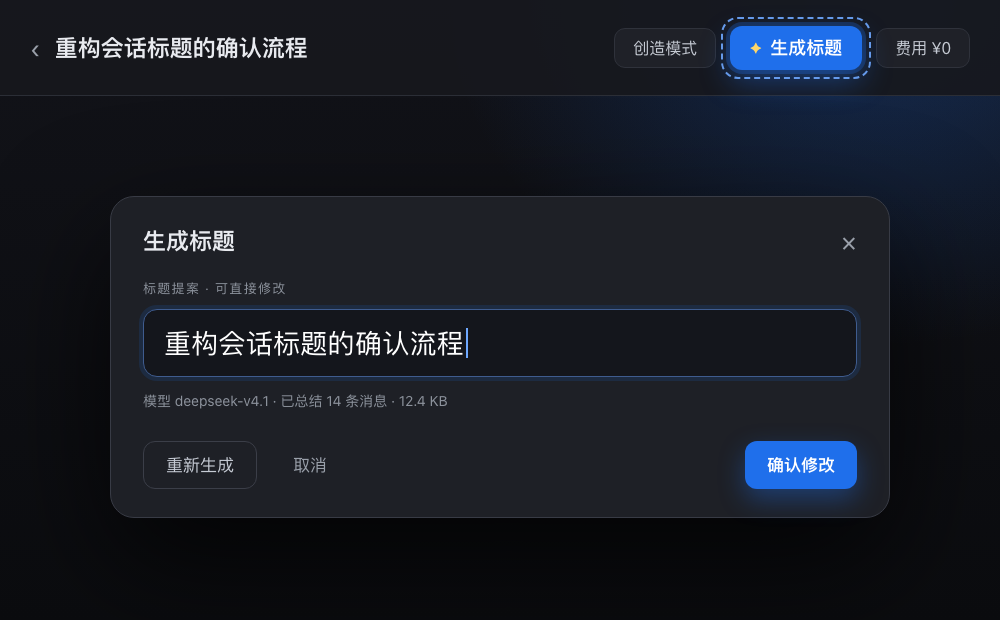
会话标题Session Titler
dsh-session-titler
把整段会话总结成一条标题,确认后才写入;不注册 title provider。Summarises the whole session into one title and applies it only after confirmation; registers no title provider.
v0.2.1
DSH ≥0.2.0-rc.1

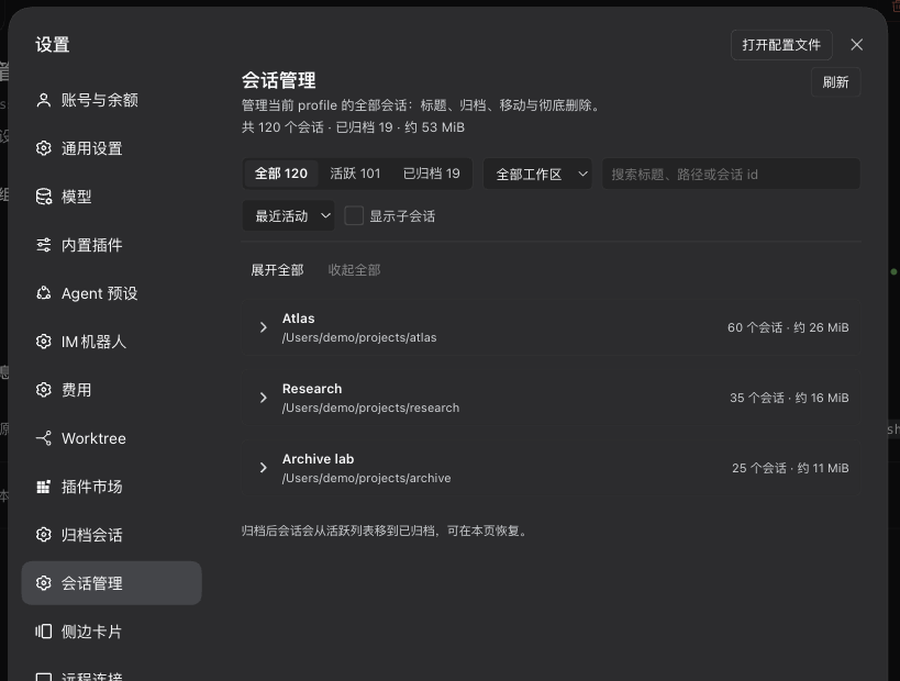
会话管理Session Manager
dsh-session-mng
一个设置页管理全部会话:整段标题、归档/恢复、跨工作区移动、彻底删除。One settings page for every session: whole-session titles, archive/restore, cross-workspace moves, permanent deletion.
v0.1.2
DSH ≥0.2.0-rc.1

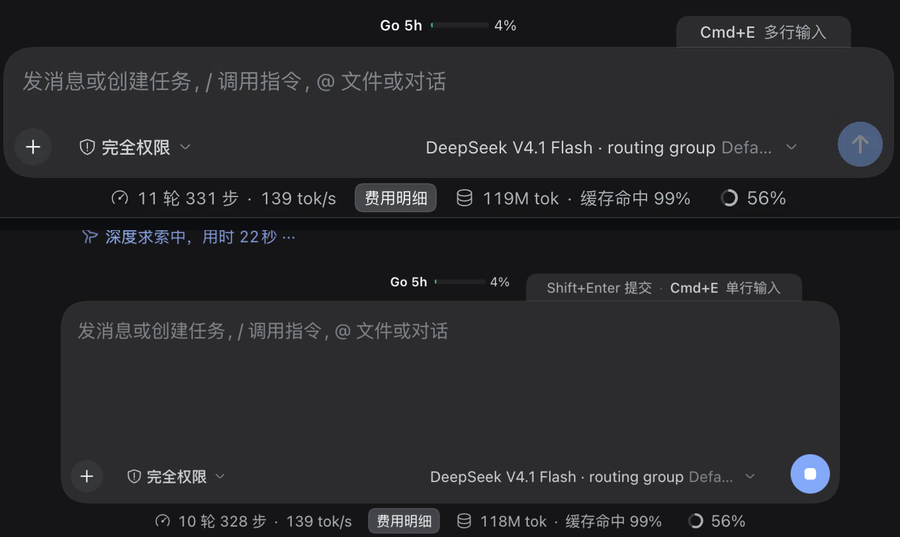
多行输入Multiline Input
dsh-multiline-input
输入框单行 / 多行一键切换,Enter 与 Shift+Enter 的语义跟着换。Switches the composer between single-line and multiline, swapping Enter and Shift+Enter with it.
v0.1.0
DSH ≥0.2.1-rc.3
安装Install
一条命令,装完刷新One command, then refresh
桌面版请在应用内左侧「插件」页安装(desktop profile 由应用独占,命令行不接管);命令行管理的 profile 直接用下面的命令。In the desktop app, install from the in-app Plugins page (the desktop profile is app-managed, so the CLI does not touch it). For CLI-managed profiles, use the commands below.
dsh plugin --profile <profile> add dsh-session-titler
dsh plugin --profile <profile> add dsh-session-mng
dsh plugin --profile <profile> add dsh-multiline-input
Host 半是进程内模块:装完看不到入口时,重启一次 dsh / 应用再刷新页面即可。卸载用 remove 子命令,或直接在插件页停用。
The host half is an in-process module: if no entry appears, restart dsh or the app once and refresh. Uninstall with the remove subcommand or by disabling the plugin in the Plugins page.
同一个作者Same author
也在做 macOS 上的小工具Also building small macOS tools

zWGestures
用 Swift 从头写的原生 Apple Silicon 鼠标手势工具,兼容 WGestures 2 配置,开箱 48 条中文手势。A native Apple Silicon mouse-gesture tool written in Swift, compatible with WGestures 2 configs, with 48 Chinese gestures out of the box.
FAQ
常见问题Frequently asked
桌面版怎么装?How do I install in the desktop app?
打开应用内左侧「插件」页,搜索包名安装;也可以用「从本地目录安装」。desktop profile 由应用独占,dsh plugin --profile desktop … 会被直接拒绝。Open the in-app Plugins page, search for the package name, or use “Install from local directory”. The desktop profile is managed by the app, so dsh plugin --profile desktop … is refused.
装完看不到入口?Installed, but no entry appears?
Host 半是进程内模块,需要重启一次 dsh / 应用再刷新页面;纯客户端部分刷新页面即可生效。同一个 profile 里也不要保留两个安装源,否则客户端模块会按包名去重而两个都不出现。The host half is an in-process module: restart dsh or the app once and refresh. Client-only changes just need a refresh. Also avoid two install sources for the same profile — client modules dedupe by package name and neither entry shows up.
会不会偷偷写数据?Do they write anything behind my back?
不会。三个插件都不注册模型可见的工具;标题要你点「确认修改」才写入,归档、移动、删除都要先确认,取消与 Esc 都不落盘。No. None of them registers model-visible tools. Titles are written only after you press “Apply”; archiving, moving and deleting always ask first, and cancel or Esc writes nothing.
支持哪些 DSH 版本?Which DSH versions are supported?
会话标题与会话管理声明 >=0.2.0-rc.1 <0.3.0-0,多行输入声明 >=0.2.1-rc.3 <0.3.0-0。各插件实测的宿主版本写在详情页的「兼容性」表里。Session Titler and Session Manager declare >=0.2.0-rc.1 <0.3.0-0; Multiline Input declares >=0.2.1-rc.3 <0.3.0-0. The exact host versions tested are listed on each plugin page.
卸载会留残留吗?Will uninstalling leave anything behind?
用 dsh plugin --profile <profile> remove <包名>,或在插件页停用 / 卸载即可。多行输入卸载后输入框恢复原生行为,不残留 DOM、样式或监听。Use dsh plugin --profile <profile> remove <package>, or disable/uninstall from the Plugins page. Multiline Input restores the native composer without leaving DOM, styles or listeners behind.